
Your team format controls which positions appear across My Team and Player Options, so a 5 on 5 flag team is not looking at positions from an 11 on 11 offense. You set it once and everything follows it.
How do I change my team format?
- Find the This team plays control on the Roster or Depth Chart tab, or in Settings > Player Options.
- Select the game type: Tackle, Flag, or 7 on 7.
- Select the player count.
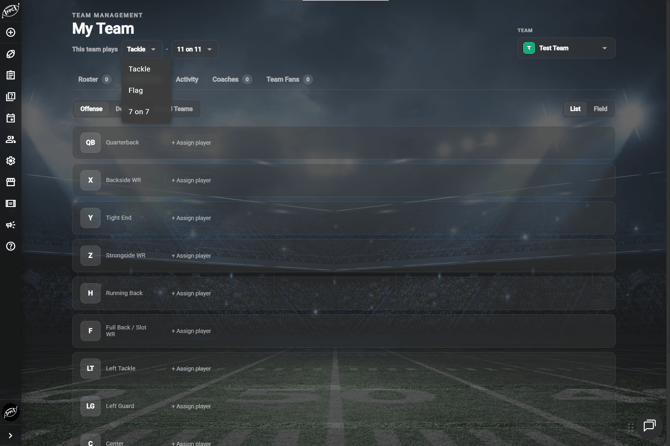
Player counts
Player counts are 4 on 4, 5 on 5, 6 on 6, 7 on 7, 8 on 8, and 11 on 11.
If you choose 7 on 7 as your game type, the player count disappears, because 7 on 7 is always seven players.
What if my team plays 9 on 9, 10 on 10, or 12 on 12?
Pick the player count closest to your team, then add or delete a player while you are creating or editing a play. Your play cards end up with the right number of players even though the list does not have an exact match for your format.
Frequently Asked Questions
What changes when I set it
-
Your format decides which positions show up on the Roster, in the Depth Chart, and in Player Options. It is the same setting your plays use, so your team management and your play cards stay in agreement.
Where is this control?
-
It appears in the same place on the Roster tab, the Depth Chart tab, and the Settings > Player Options page. Changing it in one place changes it everywhere.
What do I do if a position I need is missing?
-
Check the format first. If it is right and the position still is not there, add or rename it in Settings > Player Options.
Why did my depth chart positions change?
-
Changing the format changes which positions apply to your team. Set the format before you build your depth chart.
Does this affect my existing plays?
-
This is the same team setting your plays use, so it keeps the two in agreement.