
Tagging is what makes Game Planning fast. When your plays are tagged by situation, your call sheet can build itself, and it stays current all season. If you do one thing before your next game, tag your plays.
A few minutes of tagging now saves you the weekly rebuild later. Every new play you tag going forward flows onto your call sheet automatically.
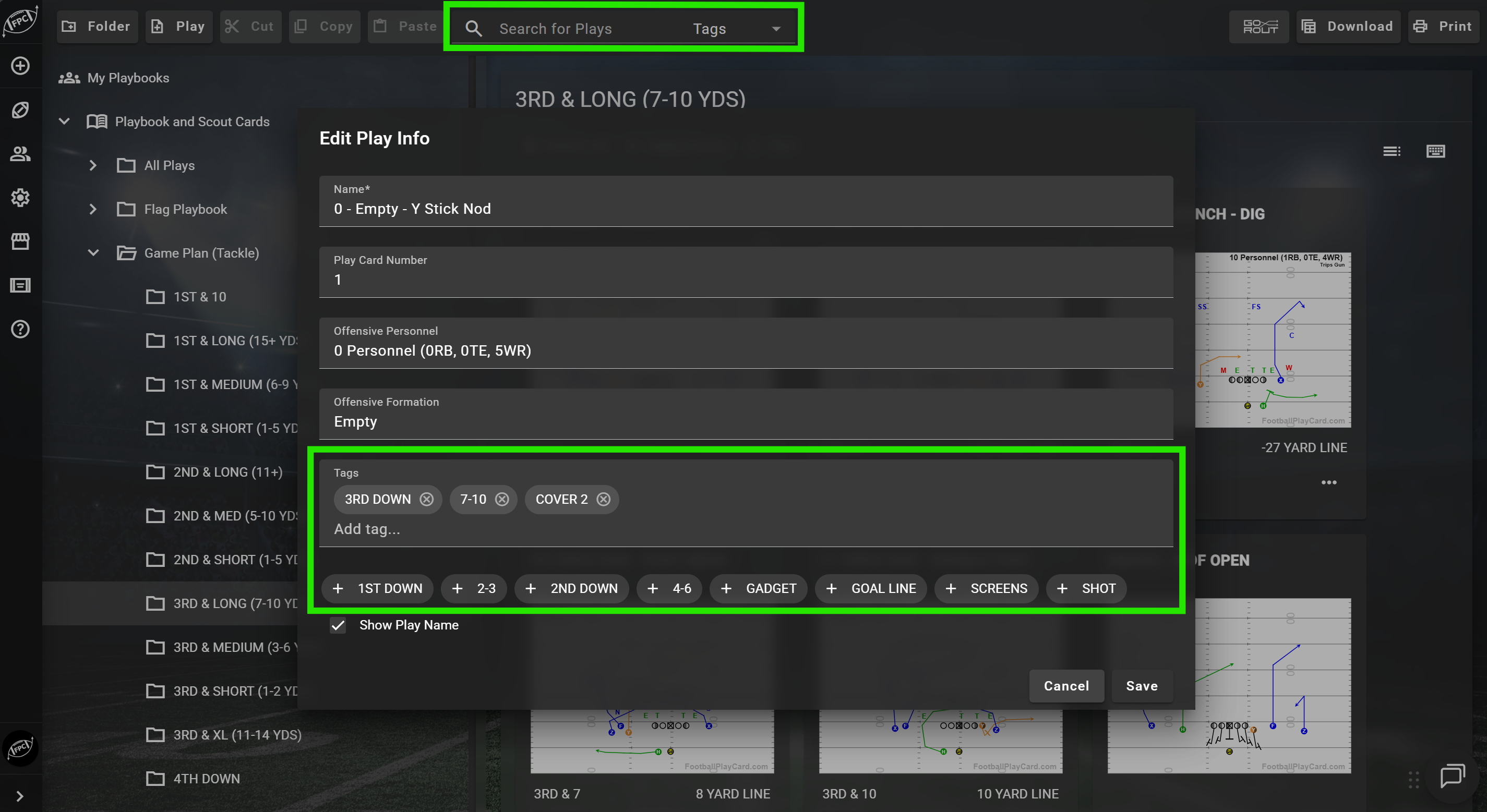
Add custom tags to any play. Then filter your Play Card Manager instantly to see only the plays that match.
Tags display as visual chips in your play grid so you can scan at a glance. A single play can carry multiple tags. Once you create a tag, it is reusable across your whole playbook.
How coaches are using tags:
- Situation: Red Zone, Two-Minute, Goal Line, Short Yardage
- Week: Week 1, Week 2, Bye Week Install
- Output: Wristband, Scout Card, Film Session
- Concept: Blitz Pick-Up, 7on7, Flag
Search works across tags and play fields at the same time, or you can narrow to tags only.
If you have more than 50 plays in your account, tags are the fastest way to find exactly what you need.